How To Pay NBI Clearance Using Gcash Complete Guide 2026
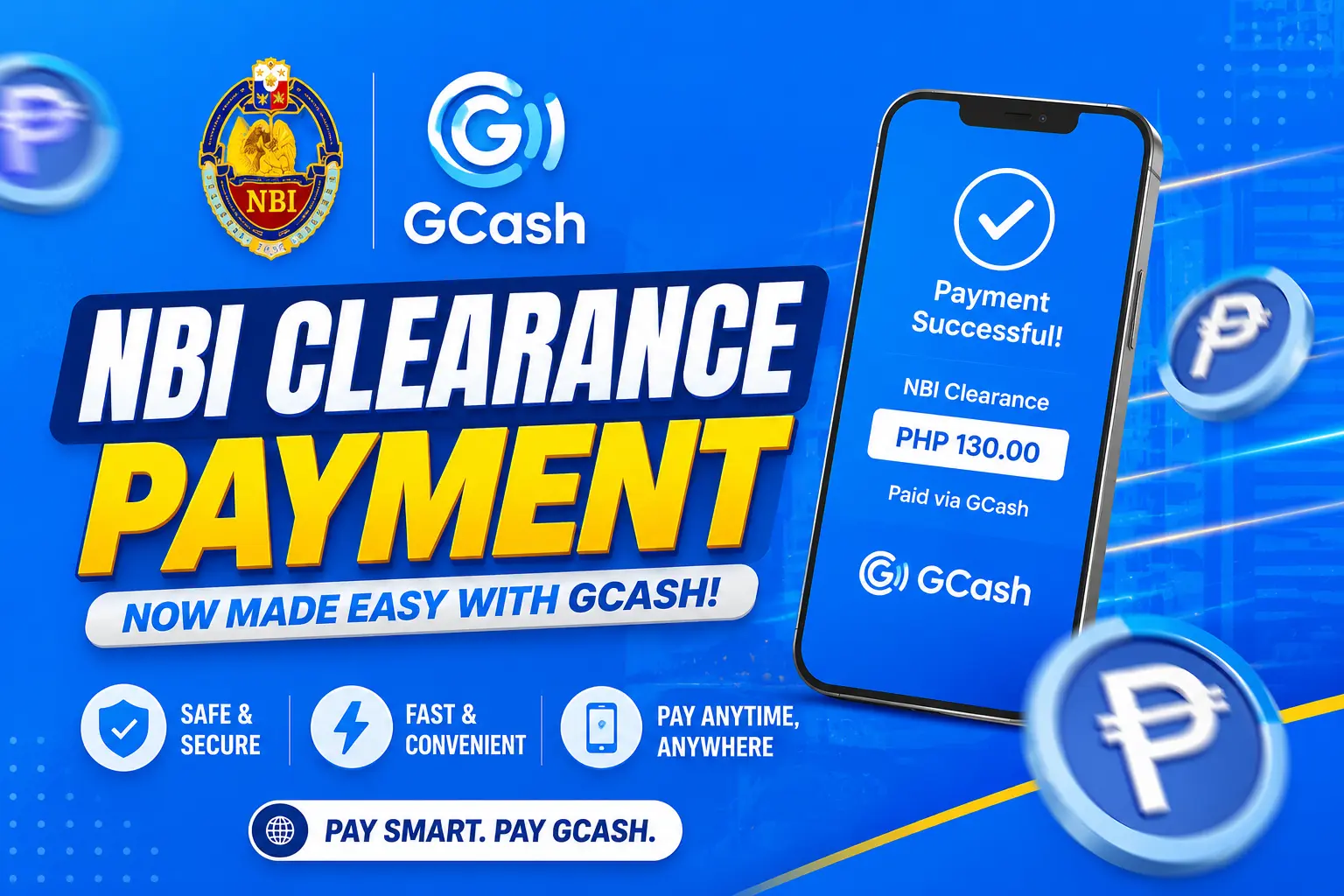
To pay your NBI Clearance using Gcash, open the app and go to Bills, then Government, then NBI. Enter your reference number and the exact amount shown on your NBI screen. Confirm with your MPIN and you are done.
The whole thing usually takes less than five minutes once you have your reference number ready.
What You Need Before You Start
You only need three things ready before you begin.
An active Gcash account with enough balance to cover the fee. A valid reference number generated from your NBI online application. A stable internet connection on your phone.
Having these ready from the start prevents most of the small errors that slow people down.
How Much Does It Actually Cost
The standard NBI Clearance fee is 130 pesos. On top of that, a service charge applies depending on your payment channel.
Most sources report this service charge at 25 pesos, bringing your total to 155. Our own research across this site has repeatedly found Gcash specifically charging closer to 30 pesos, bringing the total nearer to 160. We want to be honest that this small discrepancy exists rather than give you one confident number that might be wrong.
The amount shown on your own screen right before you confirm payment is always the number that actually matters. If you are choosing door to door delivery instead of branch pickup, expect a noticeably higher total, commonly reported around 355 pesos for Metro Manila addresses. For the complete fee breakdown across every payment channel, see our dedicated fees guide.
Three Real Ways To Pay NBI Clearance Using Gcash
Most guides only describe one method to pay NBI Clearance using Gcash. In reality, there are three.”
Scanning a QR code from the NBI payment page
After booking your appointment on the NBI portal, select Gcash as your payment method. This generates a QR code right on screen for you to scan.
Searching for NBI manually inside the Gcash app
This is the method we recommend leading with, for reasons we explain below.
Scanning a QR code at a partner outlet in person
Some payment shops and outlets display their own Gcash QR code you can scan on the spot if you prefer paying somewhere physical.
Why We Recommend The Manual Method First
Real users have reported the QR scanning method failing to register or redirect properly more often than you would expect. Several people online describe the scan simply not going through, even after multiple attempts. This is genuinely frustrating when you are trying to finish quickly.
The manual method inside the app tends to be more reliable. It takes about the same amount of time either way. We recommend starting there instead of assuming the QR code will work smoothly.
How To Pay NBI Clearance Using Gcash Step By Step
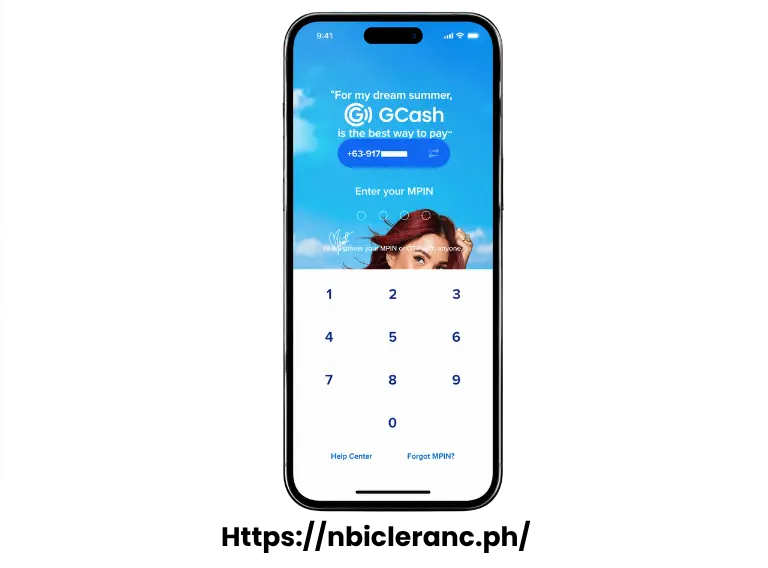
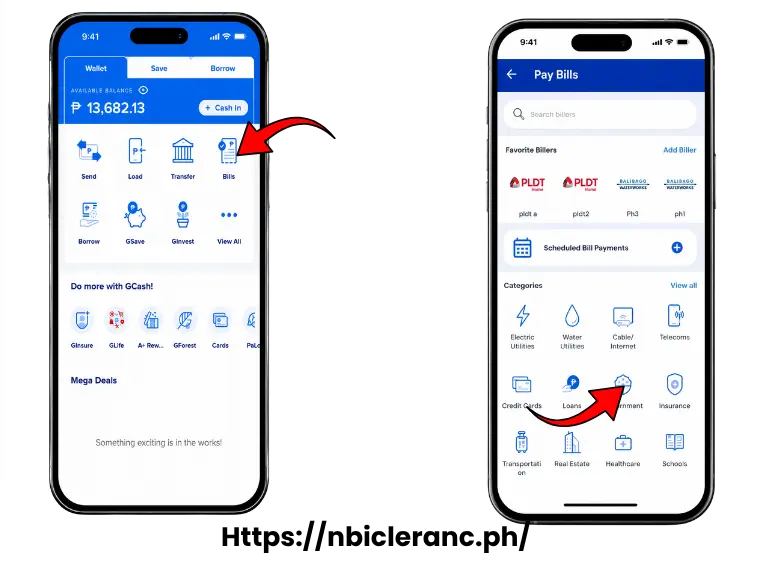
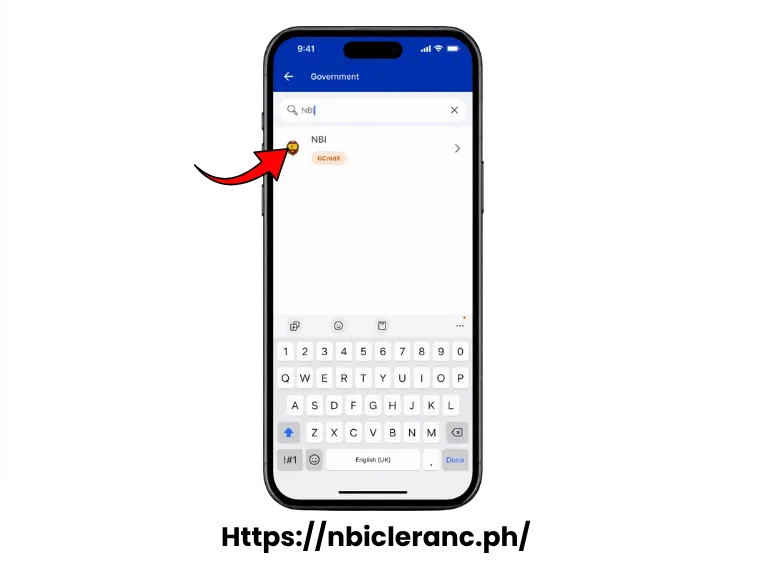
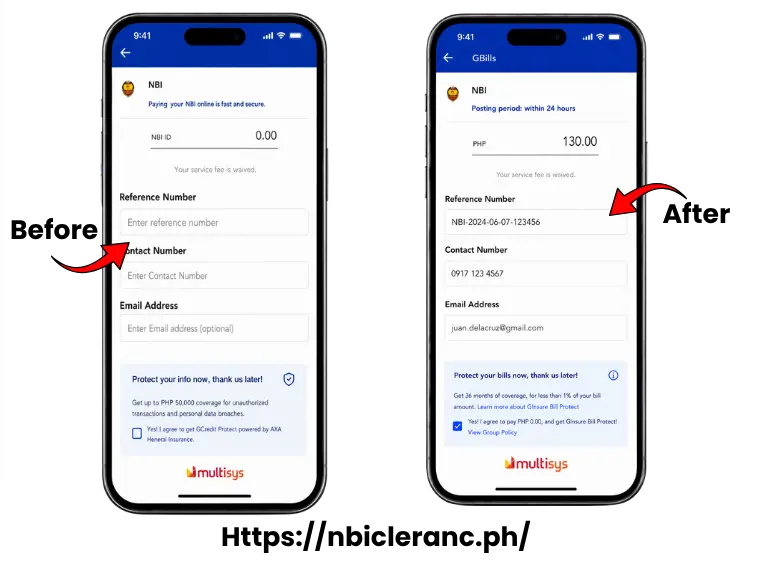
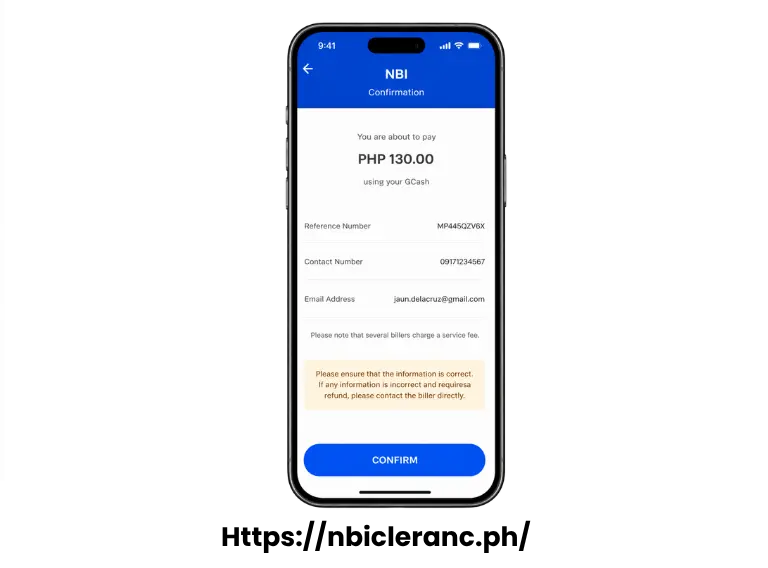
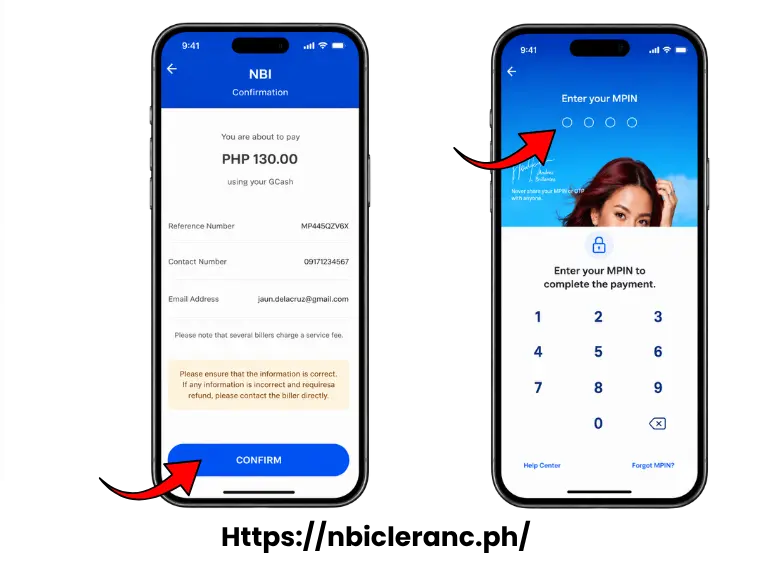
Your contact number and email are only used to send you a receipt. They are not tied to whose reference number you are paying.
A Real Error And How To Fix It
Some applicants get an error saying please enter a valid contact number, even when they are certain the number is correct. This has been reported by real users trying to pay exactly this way.
The likely cause is that the field already shows a plus 63 prefix built in. Typing your full number starting with a zero creates a duplicate country code, which the system rejects.
Drop the leading zero entirely and type only the nine digits that follow it.
You Generally Have 24 Hours To Pay
Once your reference number is generated, you typically have 24 hours to complete payment before that specific booking cancels automatically.
If this happens to you, do not worry. You simply generate a new reference number through the NBI portal and try again. This is worth knowing upfront so a busy day does not accidentally cost you your slot.
Can You Pay For Someone Else
Yes, and this is genuinely useful for families helping each other.
Payment is tied to the reference number itself, not to whose Gcash account is doing the paying. This means you can pay for a parent, sibling, or friend’s NBI Clearance using your own Gcash without any issue.
Just enter their correct reference number and amount exactly as shown on their screen. Put your own contact number and email in those fields, since that is simply where the receipt gets sent.
How To Confirm Your Payment Actually Went Through
You have two reliable ways to check this.
Open Gcash and check your Activity or transaction history. You should see the payment to NBI listed there as successful.
Separately, log into your NBI account and check the Transactions tab. Once the system recognizes your payment, the status changes to paid.
What To Do If Your Payment Does Not Reflect
Wait one to two hours first. A short delay here is common and usually resolves on its own without you doing anything.
If it still has not updated after that, check your Gcash Activity log to confirm the money actually left your account. If it did, but the NBI portal still shows pending, keep your Gcash receipt and transaction reference ready.
Contact Gcash support or NBI directly with those details. Avoid paying again immediately, since that risks paying twice for the exact same transaction.
Is Paying Through Gcash Actually Safe
Yes, this is a genuinely secure way to pay. Gcash requires your MPIN to approve every transaction, and it keeps a full, searchable record of everything you have paid.
You also receive an SMS or in app confirmation the moment your payment goes through. This gives you real proof on hand if anything needs to be double checked later.
Can You Get A Refund If You Enter The Wrong Reference Number
Refunds are rarely possible once a payment has actually processed. If you entered the wrong reference number, that payment generally becomes unlinked from any real application, and this kind of mistake is usually not refundable.
If instead your payment failed to reflect because of a genuine system issue on Gcash or NBI’s side, contacting Gcash support with your transaction ID can help. Always double check your reference number carefully before confirming any payment.
Other Ways To Pay If Gcash Is Not Working For You
Gcash is convenient, but it is not your only option. Maya is available as a very similar digital wallet alternative.
7 Eleven through their CliQQ kiosk works well for cash based payment. Bayad Center branches nationwide accept cash payments too.
Over the counter bank payments through BPI, Landbank, or Metrobank are also accepted. All of these options appear directly on the NBI portal when you reach the payment step.
Frequently Asked Questions
Paying your NBI Clearance through Gcash really is one of the fastest options available once you know to start with the manual method instead of the QR code. Keep your receipt, double check your reference number, and give the system a little time before assuming something went wrong. Most payment issues here resolve themselves within an hour or two without you needing to do anything at all.